


























The Blue Yeti Blackout Edition USB Microphone has been around long enough to feel almost… default. If you’ve ever looked into podcasting, streaming, or voice-over work, chances are this was one of the first recommendations you saw.
After using it across podcast recording, casual voice-over work, and even gaming sessions, it’s clear why. This is a microphone that removes friction—plug it in, and you’re already 80% of the way to clean, usable audio.
It’s not perfect, and it’s not “pro studio” in the strictest sense. But for most people? It gets surprisingly close without asking much in return.
OVERVIEW IMAGE
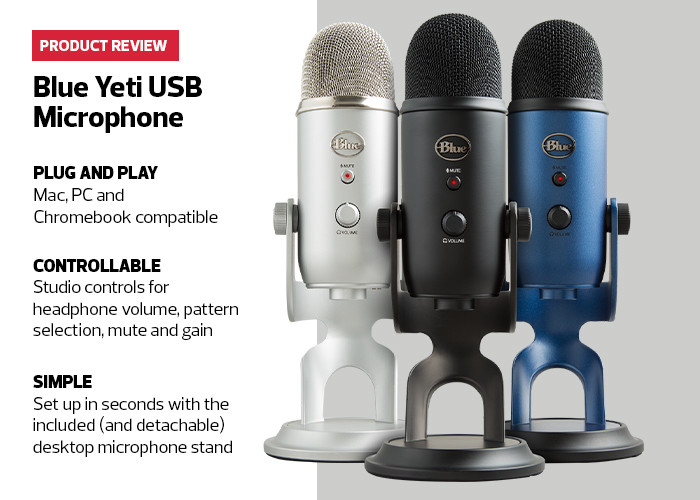
Caption: A distinctive, industrial design with built-in controls and a heavy desktop stand that signals “serious audio” without needing extra gear.
DESIGN & BUILD

The Blue Yeti is unapologetically chunky.
It’s heavier than most USB mics in this range, and that weight actually works in its favor. Sitting on a desk, it feels stable and planted—no wobble, no cheap plastic flex. The matte Blackout finish keeps things understated, especially compared to the brighter standard version.
The built-in stand is functional and adjustable, letting you tilt the mic toward your voice easily. That said, it also takes up a fair bit of desk space. If you’re working with a tight setup, you’ll feel it.
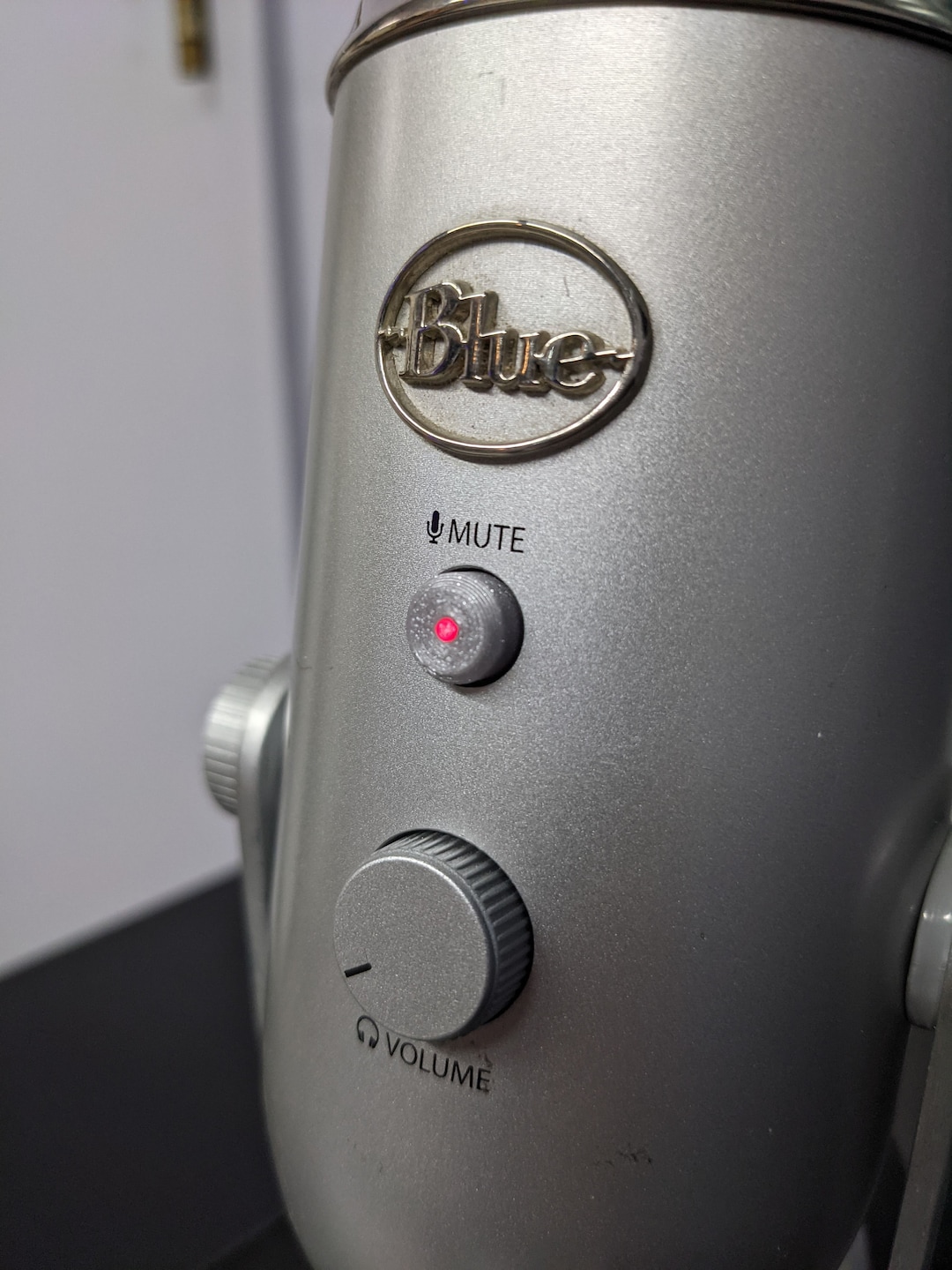
Controls are where the design shines:
- Front: headphone volume + mute button
- Back: gain knob + polar pattern selector
Everything is within reach, which matters more than you’d think during recording.
REAL-WORLD PERFORMANCE

In real use, the Yeti delivers exactly what most people want: clean, present, and reliable audio without setup headaches.
Podcasting & Voice
This is where the mic feels most at home.
In cardioid mode, voice recordings come through full and clear, with a slight warmth that flatters most speaking tones.
Streaming & Gaming
For streaming, the Yeti works well, but it’s slightly more sensitive than ideal untreated environments.
It will pick up keyboard clicks, room echo, and background noise if not positioned correctly.
Music & Instruments
It works—but within limits.
Stereo mode adds width, but this isn’t a replacement for dedicated studio gear.
FEATURES THAT MATTE
Tri-Capsule Array
Multiple recording modes make this mic adaptable across different use cases.
Zero-Latency Monitoring
Real-time monitoring helps maintain consistency while recording.
On-Device Controls
Quick adjustments without software interruptions.
Plug-and-Play Simplicity
No drivers, no complexity—just plug in and go.
PROS & CONS
Pros:
- Clean, clear voice capture with minimal setup
- Extremely easy to use
- Flexible recording modes
- Useful onboard controls
- Solid build
Cons:
- Sensitive to background noise
- Bulky design
- Not ideal for untreated spaces
- Limited upgrade path
- Large desk footprint
REAL USER FEEDBACK
Across long-term users, the experience with the Blue Yeti Blackout Edition USB Microphone is highly consistent.
Users repeatedly highlight how easy it is to start recording, especially for podcasting. Many also point out the clarity compared to built-in or headset microphones.
Reliability over time is another strong point—this is a mic people keep using for years.
WHO SHOULD BUY THIS?
You should buy the Blue Yeti if:
- You’re starting a podcast, YouTube channel, or streaming setup
- You want simple, reliable audio
- You need flexibility without complexity
You should skip it if:
- You want a professional XLR setup
- Your environment is noisy
- You need something compact
VERDICT
The Blue Yeti earns its reputation by doing one thing extremely well: making good audio accessible.
It doesn’t require technical knowledge, extra equipment, or endless tweaking. And while it won’t replace a full studio setup, it gets close enough for most real-world use.
The Review
Blue Microphones Ultimate
The Blue Yeti Blackout Edition USB Microphone has been around long enough to feel almost… default. If you’ve ever looked into podcasting, streaming, or voice-over work, chances are this was one of the first recommendations you saw.