






















The Flashpoint R2 Nano Remote is one of those tools that doesn’t seem essential—until you actually use it.
After integrating it into a multi-light setup with Flashpoint strobes, it quickly becomes clear this isn’t just a smaller trigger. It’s a much smarter interface for controlling your lighting.
Compact, responsive, and surprisingly refined, the R2 Nano feels like a modern rethink of what a flash trigger should be.
OVERVIEW IMAGE
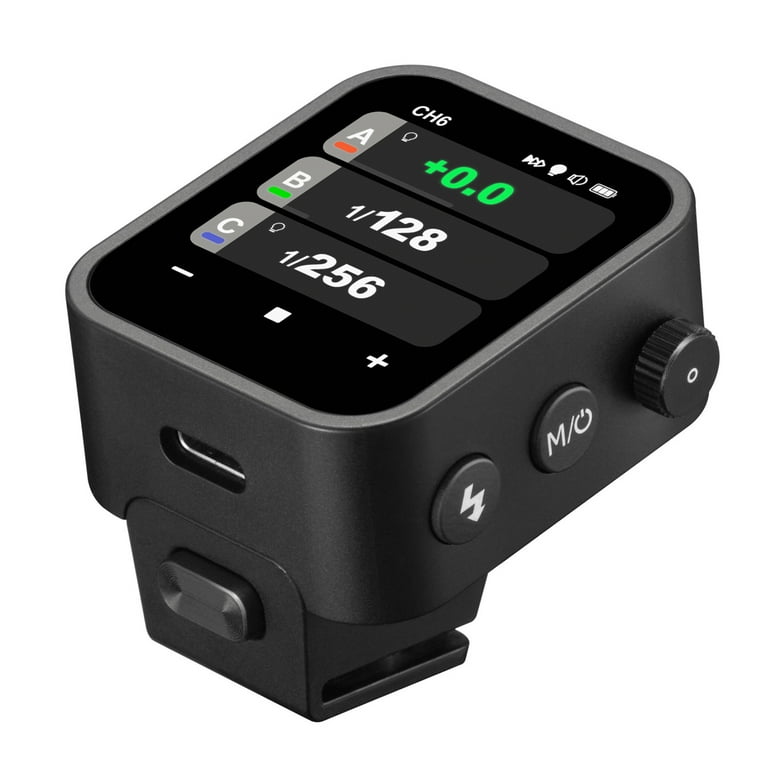
Caption: A minimalist flash trigger that prioritizes speed, clarity, and ease of use.
DESIGN & BUILD
The biggest difference from older R2 triggers is immediately obvious: size and simplicity.
At just 48g, the Nano is:
- Extremely lightweight
- Low-profile on the camera
- Never in the way
The build quality is surprisingly premium:
- Glass touchscreen
- Solid control wheel
- Tight, secure hotshoe mount
It feels like a modern device—not a legacy accessory.
REAL-WORLD PERFORMANCE
Usability (Where It Really Wins)
This is where the Nano separates itself from older triggers.
Instead of navigating clunky menus:
- You tap, swipe, adjust instantly
- Settings are visible and intuitive
- No digging through layers of UI
In real shooting scenarios:
- Changing power levels is faster
- Switching groups is seamless
- Adjusting multiple lights feels natural
It removes friction—and that directly improves shooting flow.
Touchscreen + Physical Controls
The hybrid control system works better than expected:
- Touchscreen → fast navigation
- Buttons & dial → precision control
This becomes especially useful:
- In cold weather (with gloves)
- During fast-paced shoots
It’s a thoughtful design—not just a gimmick.
R2 SYSTEM PERFORMANCE
The Nano is built on the proven R2 2.4GHz wireless system, and performance remains excellent.
Key capabilities:
- TTL, Manual, Multi modes
- HSS up to 1/8000s
- Multi-group control (A–E)
- Long-range (~100m) reliability
In practice:
- Connections are stable
- No noticeable lag
- Works seamlessly across brands (Canon, Sony, Nikon, Fuji…)
If you’re already in the R2 ecosystem, integration is effortless.
FEATURES THAT MATTER
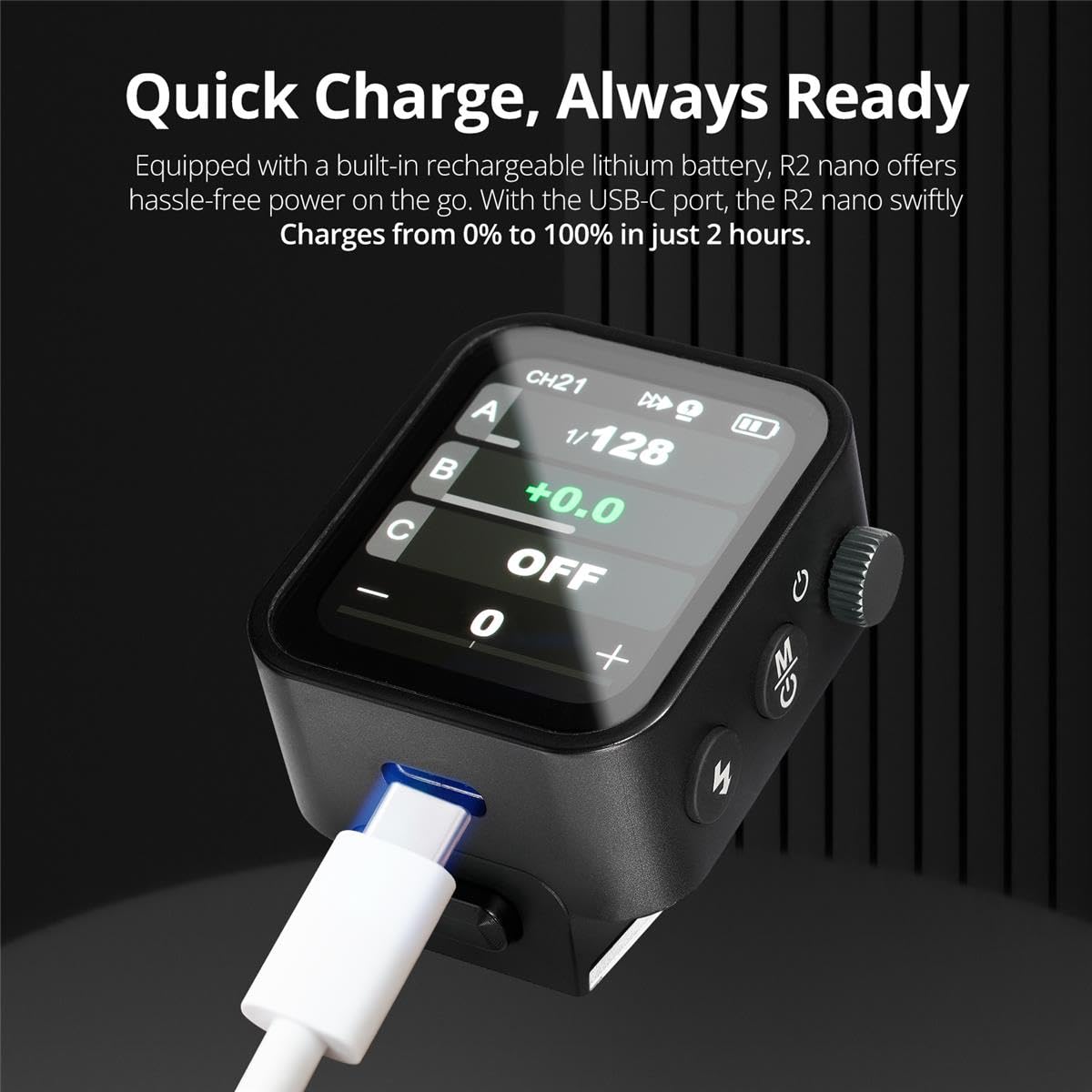
OLED Touchscreen
The high-contrast OLED display is a major upgrade:
- Easy to read outdoors
- Smooth refresh rate
- Adjustable brightness
It feels more like a smartphone interface than a traditional trigger.
TCM (TTL Convert to Manual)
This is one of the most useful features:
👉 Shoot in TTL → convert instantly to Manual settings
In real use:
- Quickly dial in exposure
- Lock consistent lighting
- Speed up workflow significantly
Built-in Battery (USB-C)
- Rechargeable lithium battery
- Full charge in ~2 hours
- USB-C for convenience
No more swapping AA batteries—this alone modernizes the experience.
PORTABILITY & EVERYDAY USE
Because of its size, the Nano becomes something you leave on your camera all the time.
It’s:
- Easy to carry
- Fast to deploy
- Invisible in your workflow
Compared to bulkier triggers, this makes a real difference in day-to-day shooting.
TECH SPECS (ESSENTIALS)
| Category | Details |
|---|---|
| Weight | 48g |
| Display | OLED touchscreen |
| Control | Touch + physical buttons/dial |
| Wireless | 2.4GHz R2 system |
| Range | ~100m |
| Modes | TTL / Manual / Multi |
| HSS | Up to 1/8000s |
| Battery | Built-in Li-ion |
| Charging | USB-C |
| Groups | A / B / C / D / E |
PROS & CONS
| Pros | Cons |
|---|---|
| Extremely compact and lightweight | Smaller screen may feel cramped for some |
| Intuitive touchscreen interface | Less tactile than traditional-only controls |
| Fast, efficient workflow | No tilt screen |
| Reliable R2 wireless performance | Battery not user-replaceable |
| USB-C rechargeable battery | Limited physical buttons for advanced users |
REAL USER EXPERIENCE
User feedback around the Flashpoint R2 Nano Remote consistently highlights:
- Huge improvement over older R2 triggers
- Faster and more intuitive controls
- Surprisingly premium feel for its size
Many photographers describe it simply as:
👉 “It just works.”
WHO SHOULD BUY THIS?
This trigger is ideal if you:
- Use Flashpoint / Godox lighting systems
- Want faster control during shoots
- Prefer a clean, modern interface
- Travel or shoot on location
Skip it if:
- You prefer fully tactile, button-only controls
- You need a larger display
- You rarely adjust lighting during shoots
VERDICT
The Flashpoint R2 Nano Remote doesn’t add new lighting features—it improves how you interact with them.
And that turns out to matter more than expected.
It’s faster.
Cleaner.
More intuitive.
And once you use it, going back to older triggers feels unnecessarily complicated.
The Review
Flashpoint R2 Nano
Connects to my Flashpoint strobes easily, I didn't even need an instruction manual to do so. Nice beautiful display screen, simple menus. I wish it could rotate for when my camera is tripod-mounted in portrait mode.